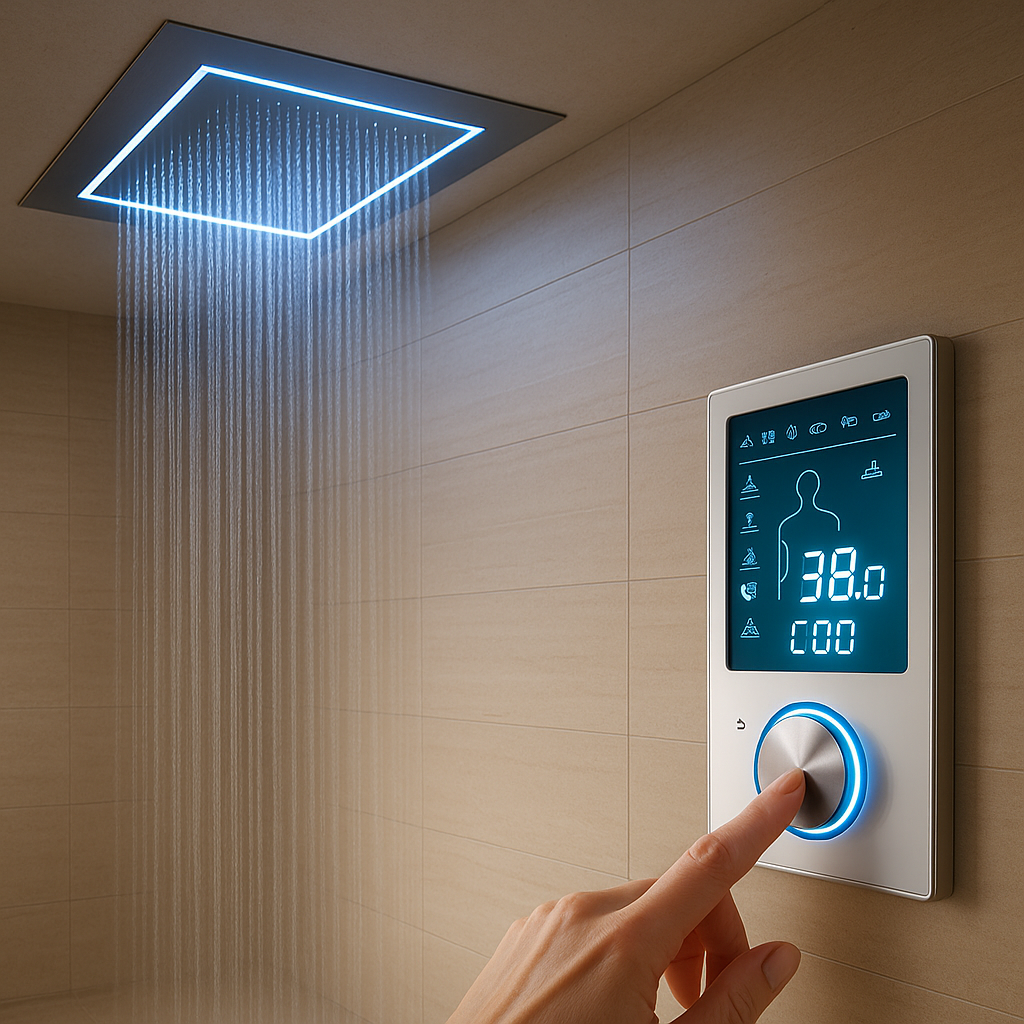
BathSelect™ stands behind its bathroom products with manufacturer
warranty support, technical documentation and responsive customer
assistance for residential, hospitality and commercial projects.
Commercial installations:
Warranty periods and coverage may differ from residential
applications. Retain the original purchase information, product
model and installation records when requesting support.
BathSelect™ warranty support is designed to help original purchasers
resolve eligible product, mechanical and finish concerns. Coverage
depends on the product, installation environment, purchase date and
compliance with the published use and maintenance requirements.
Original Purchase Required
Order information and proof of purchase are required to verify eligibility and process a replacement request.
Product-Specific Review
Coverage is evaluated according to the product type, reported issue, installation conditions and applicable warranty terms.
Commercial Limitations
Products installed in commercial settings are subject to shorter coverage periods than qualifying residential installations.
Proper Care Matters
Improper installation, misuse and abrasive or acidic cleaning products may invalidate otherwise applicable coverage.
Residential Applications
Protection for the Original Home Installation
Qualifying residential fixtures may receive coverage against defects
in material, workmanship and finish while owned by the original
purchaser and installed in the original residence, subject to the
complete warranty terms.
Applies to the original purchaser and qualifying original installation.
Proof of purchase and original order details must be retained.
Product defects are reviewed before replacement authorization.
Proper installation, use and maintenance are required.
Product-specific exclusions and limitations may apply. Electronic,
lighting and specialty components may have separate terms.
Products installed in hotels, restaurants, offices, healthcare
facilities, multi-unit developments and other commercial settings
are subject to the commercial warranty limitations stated by
BathSelect™.
Mechanical coverage is limited to one year from the product purchase date.
Finish coverage is limited to one year from the product purchase date.
Labor, removal and reinstallation expenses are not included.
Installation records and original purchase documentation should be retained.
Commercial buyers should confirm product certifications, inspection
requirements and project-specific approvals before installation.
This overview helps customers prepare a support request. Final eligibility is determined from the complete warranty terms, product documentation and the circumstances of the reported issue.
Coverage Area
Residential Application
Commercial Application
Important Condition
Materials and Workmanship
Eligible defects reviewed
One-year limitation
Product must have been properly installed, operated and maintained.
Mechanical Function
Subject to product terms
One year from purchase
Installation error, misuse, abuse and alterations are excluded.
Product Finish
Subject to product terms
One year from purchase
Abrasive cleaners, acids, solvents and improper polishing may void finish coverage.
LED Lighting
Not included
Not included
LED components are excluded from the manufacturer warranty described on the existing policy page.
Labor and Installation Costs
Not included
Not included
Removal, professional labor and reinstallation charges remain the customer's responsibility.
Shipping Damage or Visible Flaw
Report promptly
Report promptly
Potential damage or flaws should be reported within seven days after delivery.
This visual summary does not replace the complete BathSelect™ warranty
terms. This page provides a practical support overview; product-specific terms and documented conditions control. Warranty eligibility is determined after documentation and the
reported product condition are reviewed. For assistance, email
[email protected].
Warranty Claim Process
A Clear Path From Product Concern to Resolution
A complete, well-documented request helps BathSelect™ identify the
product, review the reported condition and determine the appropriate
next step under the applicable warranty terms.
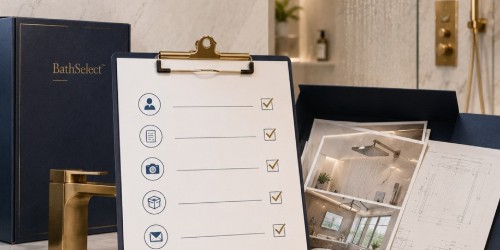
Prepare the Product Information FirstOrder details, model identification and clear photographs help reduce delays during the initial warranty review.
Before You Submit
Gather the Details That Help Support Identify the Issue
Before contacting BathSelect™, locate the original order information and identify the product model, finish, installation date and application type. Include clear photographs or a short video showing the concern whenever possible.
Visible shipping damage or product flaws:
report the condition promptly and, where applicable, within seven days after delivery. Keep the packaging available until the issue has been documented and reviewed.
Find the original order number, receipt or other acceptable proof of purchase.
Identify the Product
Record the product name, SKU, finish and any visible model information.
Document the Concern
Take clear photographs or video showing the product and reported condition.
Submit the Request
Send the complete information to BathSelect™ customer support for review.
Technical Review
Support reviews the documentation and may request installation or troubleshooting details.
Resolution
Eligible claims proceed to the appropriate support, part or replacement determination.
Claim Documentation
What to Include With Your Request
Providing the following information in the first message helps the support team review the request more efficiently and reduces the need for repeated follow-up.
Order Information
Original order number, customer name and purchase date.
Product Identification
Product name, SKU, model, finish and quantity affected.
Installation Details
Installation date, project type and relevant plumbing details.
Photos or Video
Clear close-up and full-product views showing the concern.
Issue Description
Explain when the problem began and how the product is behaving.
Troubleshooting Performed
List cleaning, adjustment, testing or installer review already completed.
Possible Support Outcomes
The appropriate response depends on the product, documentation, warranty eligibility and the cause of the reported condition.
Technical Guidance
Support may provide product-specific installation, maintenance or troubleshooting instructions when the condition can be addressed without replacing the complete fixture.
Replacement Component
Where appropriate and available, an eligible cartridge, control, hose, fitting or other component may be identified for replacement.
Product Replacement Review
Eligible product defects may proceed to replacement authorization after the warranty documentation and reported condition have been evaluated.
Warranty Review Workflow
How BathSelect™ Reviews a Documented Warranty Request
Each request is evaluated as a product-specific technical case. The review connects purchase verification,
product identification, installation context, reported symptoms and applicable warranty terms before a support outcome is issued.
Request Intake
Order, product, project type and reported concern are recorded.
Product Verification
Model, SKU, finish, component family and purchase record are matched.
Installation Context
Mounting, plumbing, electrical and service-access conditions are reviewed.
Cause Assessment
Evidence is checked for defect, wear, debris, misuse or improper care.
Eligibility Review
Product terms, exclusions and commercial limitations are applied.
Support Outcome
Guidance, testing, a component or replacement review may follow.
This workflow explains the review sequence and does not replace the complete product-specific warranty terms.
Final eligibility depends on the submitted record and the documented cause of the condition.
One Complete Record Supports a Faster Initial ReviewSubmit product identity, installation context and condition evidence together.
Required Documentation
Prepare the Evidence Before Submitting a Warranty Request
A complete first message helps BathSelect™ support identify the correct product,
understand the installation environment and determine which technical information is still required.
Original order number, purchaser name and purchase date.
Product name, model or SKU, finish and affected quantity.
Full-product, label, connection and close-up photographs.
Installation date, application type and troubleshooting already completed.
Confirms the original transaction and applicable customer record.
Product Photographs
Show the complete fixture, identifying details and reported condition.
Installation Evidence
Documents rough-in, connections, power, mounting and service access.
Condition History
Explains symptoms, timing, maintenance and previous troubleshooting.
Technical Claim Evaluation
How BathSelect™ Technical Support Evaluates a Reported Product Concern
The review distinguishes a potentially eligible product defect from installation error,
water-quality effects, maintenance damage, normal wear or an operating condition outside the product design.
Mechanical performance is compared with the intended product function.
Finish condition is reviewed against cleaning and exposure history.
Touchless products are checked for power, sensor, solenoid and water-flow conditions.
Commercial cases are compared across quantity, location and repeated symptoms.
The Complete Installation Record Informs the FindingSpecifications, site conditions and maintenance history help identify the probable cause.
Mechanical Function
Valves, cartridges, controls, diverters and moving parts are considered.
Installation Conditions
Rough-in, connections, mounting, debris and access are reviewed.
Water and Maintenance
Mineral buildup, chemicals and service history may affect the finding.
Electronic Systems
Power, sensor response, control box and solenoid operation are checked.
A Serviceable Component May Resolve the Reported ConditionAccurate identification can prevent unnecessary removal of the complete fixture.
Replacement Parts Before Replacement
Technical Support May Begin With the Affected Component
When technically appropriate and the component remains available, BathSelect™ support may identify
a cartridge, control, hose, sensor, solenoid, fitting or other serviceable part before full product replacement is considered.
Troubleshooting may identify an installation or adjustment condition.
A replaceable component may restore intended operation.
Finish and structural concerns follow a different review path.
Discontinued products may require an approved alternative or broader review.
BathSelect™ supports architects, designers, contractors, property
operators and facility teams with product documentation, installation
resources and warranty review for qualifying commercial and
hospitality projects.
Commercial Coverage Begins With Project DocumentationRetain purchase records, approved product selections, installation information and photographs for every project location.
Professional Support
Commercial Applications
Support Built Around the Needs of the Project Team
Commercial claims can involve multiple fixtures, several installation locations and project-specific conditions. A complete record allows BathSelect™ support to identify the affected products, evaluate the reported condition and determine the applicable commercial warranty path.
Original order and product model information should be retained.
Installation dates and site locations should be documented.
Report the number of affected units and total installed units.
Include photographs, videos and any troubleshooting performed.
Identify the contractor, installer or facility contact when relevant.
Commercial warranty limitation:
the existing BathSelect™ policy states that commercial mechanical and finish coverage is limited to one year from the purchase date, subject to the complete terms and exclusions.
Support Across Commercial and Hospitality Applications
Warranty requirements remain product-specific, but these project environments commonly benefit from organized installation records, maintenance logs and centralized facility documentation.
Luxury Hotels & Resorts
Guest bathrooms, suites, spas, public restrooms and premium hospitality renovation projects.
Healthcare Facilities
Hospitals, clinics, treatment environments and healthcare support spaces requiring documented maintenance.
Office & Corporate Buildings
Office towers, tenant improvements, headquarters and shared commercial restroom facilities.
Airports & Transit Facilities
High-traffic terminals, passenger facilities and transportation environments with large fixture counts.
Universities & Schools
Academic buildings, residences, recreation facilities and institutional restroom projects.
Restaurants & Entertainment
Dining venues, lounges, theaters and premium public-facing restroom installations.
Multi-Unit Developments
Apartments, condominiums, mixed-use buildings and developer-led residential projects.
Government & Civic Buildings
Public buildings, administrative facilities and professionally specified institutional projects.
Commercial Project Documentation Matrix
Coordinating responsibilities before installation makes future product identification, maintenance and warranty review easier for both the project team and facility operator.
Project Role
Recommended Record
Why It Matters
Warranty Relevance
Architect or Designer
Approved product schedule, finish selection and specification reference.
Confirms which product was selected for each room or project area.
Product identification
Purchasing or Procurement
Purchase order, invoice, quantity and delivery documentation.
Establishes the original purchase and the affected order.
Proof of purchase
Contractor or Installer
Installation date, location, plumbing conditions and testing record.
Helps distinguish installation conditions from a product concern.
Installation review
Facility Management
Maintenance log, cleaning products used and service history.
Documents care practices and any recurring operating concern.
Maintenance verification
Property Owner or Operator
Central warranty file with contacts, manuals and replacement records.
Preserves project information after contractors leave the site.
Long-term support
Professional Resources
Support Materials for the Project Team
Use the BathSelect™ support resources to help identify products, review installation information and organize documentation before requesting warranty assistance.
Installation Guidance
Product installation videos and related support materials for installers and contractors.
Instruction Sheets
Product instructions that can help identify components, connections and operating requirements.
Technical Support
Assistance with product identification, documentation and preliminary troubleshooting questions.
Warranty Review
Documentation review for eligible product, mechanical and finish concerns under applicable terms.
Product Care & Maintenance
Protect the Finish. Preserve the Performance.
Proper cleaning and preventive maintenance help BathSelect™ fixtures
retain their appearance and operate as intended. Harsh chemicals,
abrasive tools, installation debris and improper care may damage the
finish or affect warranty eligibility.
Recommended Routine
Gentle Cleaning Is the Best Protection for Premium Finishes
For routine care, use a clean, soft cloth rinsed in warm water. When additional cleaning is necessary, use a small amount of mild, non-abrasive dishwashing soap and rinse the fixture thoroughly.
Important: never allow cleaner residue, soap film or standing water to remain on the product surface for extended periods.
Wipe the fixture with a clean microfiber or soft cotton cloth.
Use warm water for regular dust, fingerprint and water-spot removal.
Apply mild dishwashing soap only when additional cleaning is required.
Rinse all soap residue from the surface after cleaning.
Dry the fixture with a separate soft cloth to reduce water spotting.
Finish Care Is Part of Long-Term Product ProtectionSoft materials and non-abrasive cleaning methods help preserve polished, brushed, matte and specialty finishes.
Recommended Cleaning
Use these gentle methods for routine product care.
Clean, soft microfiber cloth or non-abrasive cotton cloth.
Warm water for routine fingerprints, dust and water spots.
Mild non-abrasive dishwashing soap in a small quantity.
Immediate rinsing after soap or cleaner application.
Gentle hand drying with a clean, dry cloth.
Regular light cleaning instead of occasional aggressive cleaning.
Do Not Use
These materials may scratch, stain, discolor or degrade finishes.
Abrasive powders, scouring compounds or gritty cleaners.
Steel wool, rough sponges, wire brushes or scrubbing pads.
Acidic cleaners, descaling acids or strong lime removers.
Organic solvents, paint thinner, acetone or aggressive degreasers.
Chlorine bleach or high-concentration disinfecting chemicals.
Metal polish, wax or polishing compound not approved for the finish.
Finish Protection
Care Recommendations by Surface Type
All finishes benefit from gentle cleaning, but the following precautions are especially important for premium decorative surfaces.
Polished Chrome
Wipe dry after use to limit spotting. Avoid aggressive metal polish or rough cloths that may create fine surface scratches.
Brushed Finishes
Wipe gently in the direction of the visible grain. Do not scrub across the finish or use polishing compounds.
Matte Black
Remove soap film promptly and avoid waxes or oils that may create uneven shine, streaking or residue.
Gold & Rose Gold
Use only mild soap and soft cloths. Decorative finishes should never be exposed to acids, solvents or abrasive products.
Oil Rubbed Bronze
Avoid polishing products that can alter the intended color variation or remove parts of the decorative finish.
Gun Metal Gray
Dry after cleaning and avoid rough tools that may create visible marks on the darker surface.
Stainless Surfaces
Clean in the direction of the grain and remove mineral residue before it develops into a hardened deposit.
Glass & Acrylic
Use non-abrasive cleaners designed for the surface. Avoid harsh solvents and tools that can haze or scratch clear materials.
Suggested Preventive Maintenance Schedule
Maintenance frequency should be adjusted for water quality, product type, occupancy level and the demands of residential or commercial use.
Frequency
Recommended Action
Product Area
Purpose
After Regular Use
Wipe standing water, fingerprints and visible soap residue.
Faucets, controls, shower heads and trim.
Reduce spotting
Weekly
Clean gently with warm water and mild dishwashing soap.
All exposed decorative surfaces.
Preserve finish
Monthly
Inspect aerators, spray outlets and visible connections.
Faucets, hand showers and shower heads.
Identify buildup
Every 3–6 Months
Review hoses, fittings, seals and mounting stability.
Shower systems, faucets and accessories.
Prevent leaks
After Plumbing Work
Flush supply lines and inspect strainers before normal use.
Valves, cartridges, solenoids and aerators.
Remove debris
Commercially Scheduled
Record cleaning, inspection, service and replacement activity.
Multi-unit and facility installations.
Maintain service history
Water Quality & Installation
Protect Internal Components From Debris and Mineral Buildup
Dirt, sand, solder, stones and construction debris can enter water lines during renovation or new construction. These materials may obstruct aerators, cartridges, valves, spray outlets or electronic control components.
Flush hot and cold water lines before connecting the fixture.
Inspect and clean inlet strainers after initial installation.
Remove construction debris before operating valves or solenoids.
Inspect aerators and spray outlets when flow becomes uneven.
Use appropriate water treatment where mineral levels are high.
Document maintenance in commercial and multi-unit projects.
Coverage & Exclusions
Understanding What the BathSelect™ Warranty Reviews
Warranty support focuses on eligible defects in materials,
workmanship, mechanical function and product finish. Every request is
reviewed according to the product type, purchase documentation,
installation environment, maintenance history and reported condition.
Product Coverage Is Evaluated From the Complete Installation Record
Product model, purchase date, installation details, photographs
and maintenance information help establish the appropriate review.
Potentially Eligible Conditions
Coverage Begins With a Verified Product Defect
BathSelect™ reviews reported defects that may affect the intended
use, mechanical operation, material integrity or appearance of an
eligible product. The reported condition must be distinguishable
from installation error, misuse, normal wear or improper care.
Material defects not caused by installation or physical damage.
Finish deterioration subject to the applicable warranty terms.
Eligible replacement review after documentation is verified.
Final determination:
BathSelect™ reserves the right to evaluate the reported cause and
determine whether the condition falls within the applicable
warranty.
These areas may be reviewed when supported by complete documentation
and when the concern is not associated with an excluded cause.
Material Integrity
Defects in qualifying materials that impair the intended and proper
use of the product.
Mechanical Function
Eligible internal mechanical issues affecting normal product
operation.
Finish Condition
Qualifying deterioration not caused by harsh cleaners, scratches,
chemicals or misuse.
Cartridges & Controls
Product-specific review of eligible cartridges, controls or valve
components.
Touchless Components
Electronic or sensor-related concerns reviewed according to the
applicable product warranty.
Structural Components
Eligible defects involving product structure, body or fixed
components.
Missing or Incorrect Parts
Product-specific review when a shipment is incomplete or contains
an incorrect component.
Delivery Condition
Visible flaws or damage reported promptly and documented before
installation.
Product Support Scope
Warranty Review Across BathSelect™ Product Categories
Coverage requirements may differ by product type, component,
application and installation environment.
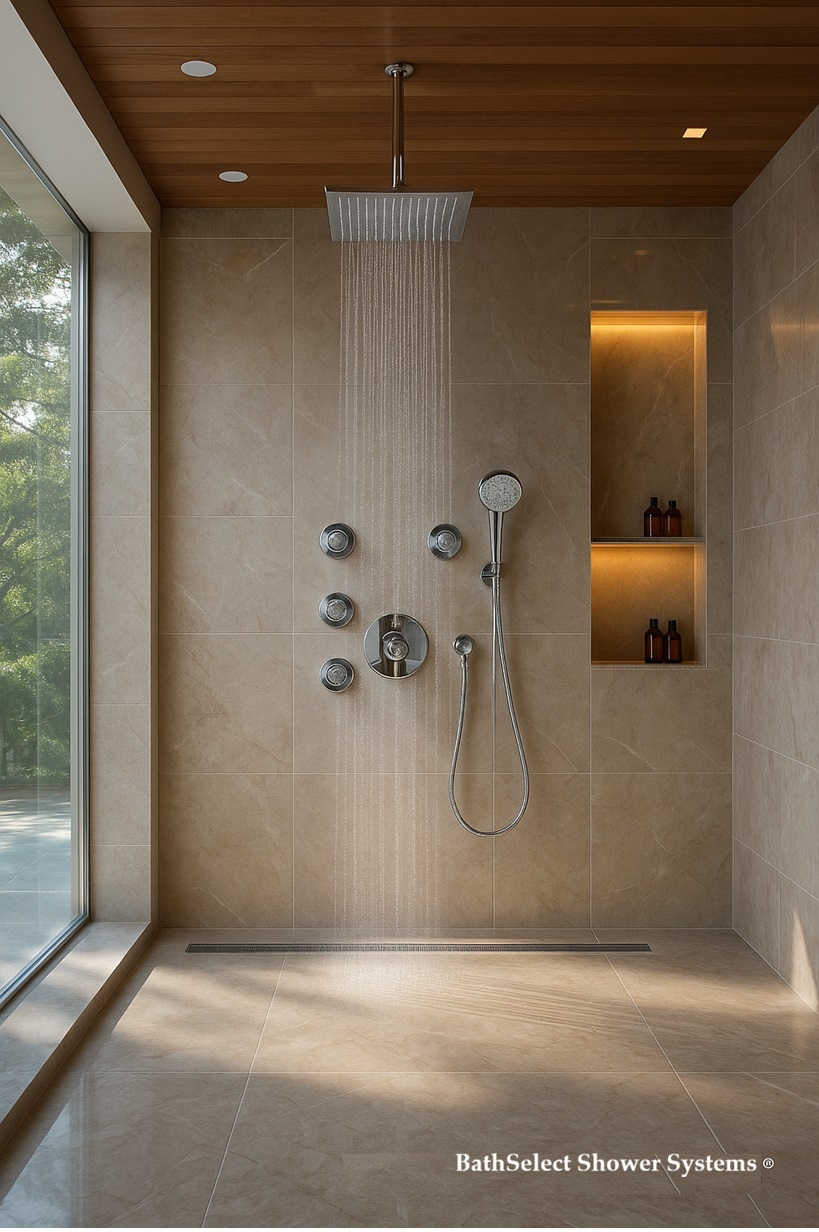
Rainfall Shower Systems
Coverage review for valves, controls, shower heads, trim and
eligible mechanical components.
Touchless Faucet Collections
Product-specific review of sensor, solenoid, power and fixture
concerns.
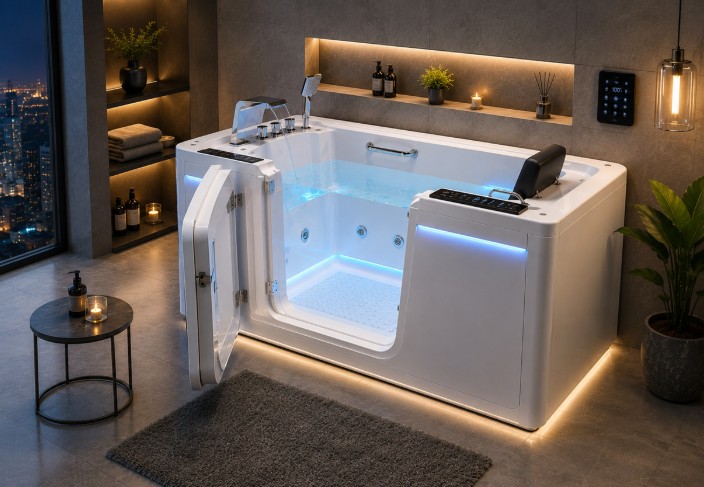
Hospitality Bathtubs
Structural and finish review subject to installation and product
terms.
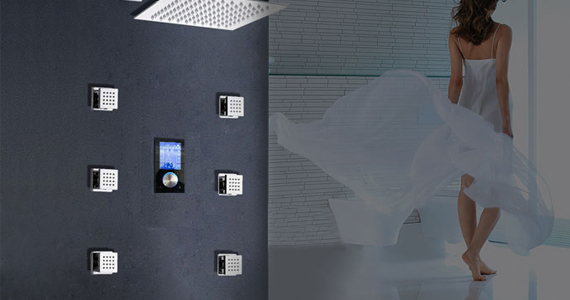
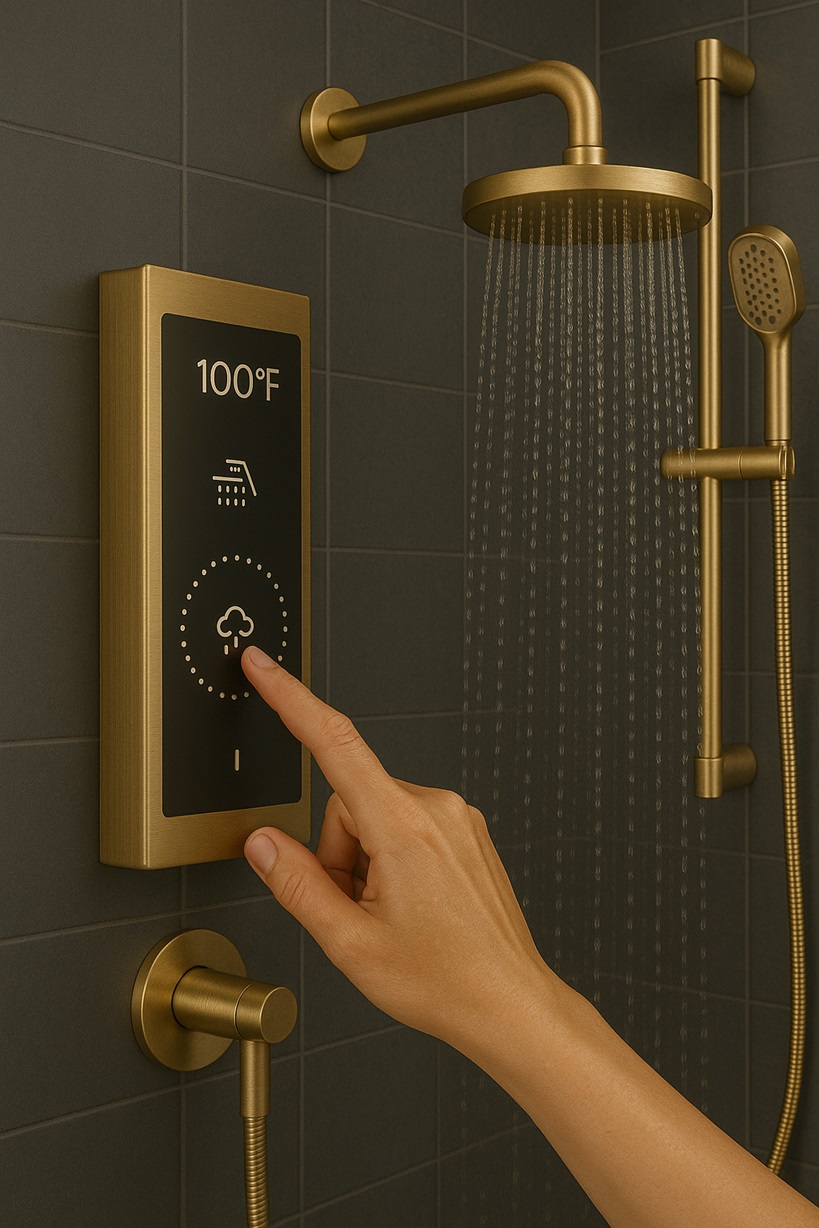
Smart Shower Systems
Controls, valves and specialized components require
product-specific evaluation.
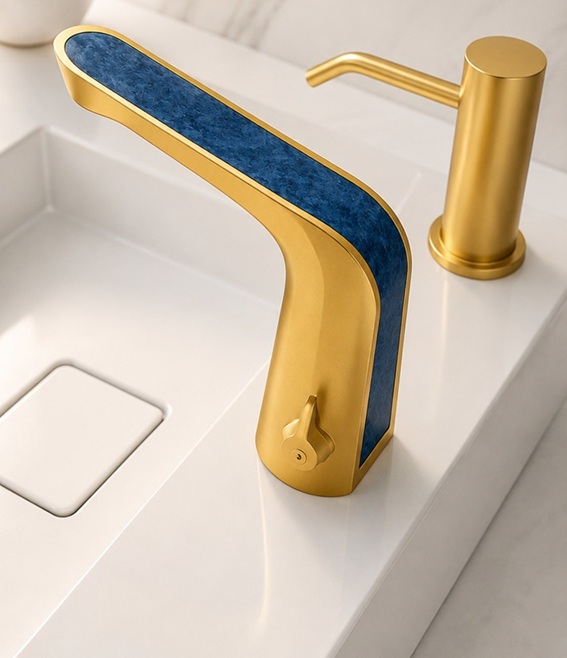
Bathroom Faucet Collections
Finish, cartridge and mechanical concerns are reviewed under the
applicable terms.
Commercial Durability Still Requires Correct Installation and Care
Heavy-use environments should maintain service records, approved
cleaning procedures and fixture-level documentation.
Not Covered
Conditions Commonly Excluded From Warranty Coverage
Warranty coverage does not generally apply when the reported
condition results from improper installation, misuse, accidental
damage, inadequate maintenance, unauthorized alteration or excluded
operating conditions.
Installation Error
Damage or failure caused by incorrect mounting, plumbing,
wiring, connection or setup.
Improper Cleaning
Finish damage caused by acids, abrasives, solvents, bleach or
aggressive cleaning tools.
Misuse or Abuse
Damage resulting from improper operation, impact, force or use
outside the intended application.
Normal Wear
Expected changes from regular use that do not constitute a
manufacturing defect.
Unauthorized Modification
Alteration, drilling, rewiring or component substitution not
approved for the product.
Construction Debris
Damage caused by sand, solder, stones or other material left in
the water lines.
Labor Charges
Removal, installation, reinstallation and professional labor
expenses are not included.
Incidental Damage
Consequential, indirect or surrounding property damage is
excluded under the existing policy.
LED Components
LED lighting is excluded from the manufacturer warranty
described on the existing policy page.
Missing Documentation
Requests without purchase verification or sufficient product
information may not be processed.
Product-Specific Warranty Review Guide
The following guide shows the type of information commonly needed
when BathSelect™ reviews different product categories.
Product Category
Common Review Areas
Recommended Documentation
Important Limitation
Shower Systems
Valve operation, controls, diverters, trim, shower heads and
connections.
Product model, valve photographs, installation date and video
of the reported condition.
Installation conditions reviewed
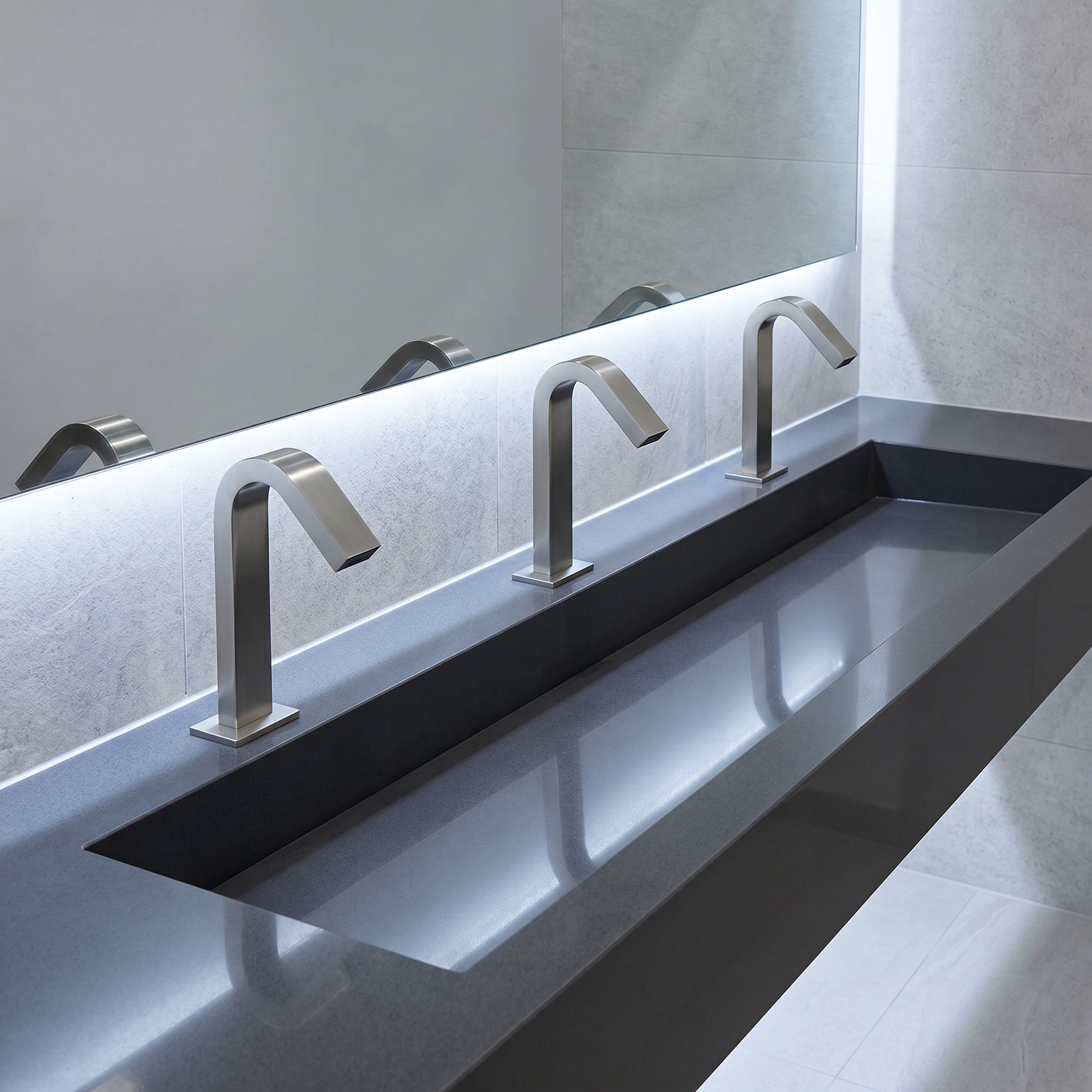
Touchless Faucets
Sensor response, power source, solenoid, control box and water
flow.
Product SKU, wiring or battery setup, installation photograph
and troubleshooting results.
Electronic terms may vary
Bathroom Faucets
Cartridge, handle movement, spout, finish and visible leakage.
Full product photograph, close-up of concern and installation
details.
Supply and installation checked
Bathtubs
Surface condition, structural concern, drain connection and
accessory components.
Delivery photographs, installation photographs and detailed
image of the affected area.
Pre-installation inspection important
Vanities & Furniture
Cabinet structure, finish, hardware, countertop and sink
condition.
Packaging images, delivery condition and photographs before
installation.
Moisture and handling reviewed
Commercial Projects
Quantity affected, site conditions, maintenance history and
repeated operating concern.
Project schedule, fixture locations, installation records and
unit-by-unit photographs.
Commercial time limits apply
Commercial Touchless Systems
Warranty review should include power, sensor, flow and maintenance
information.
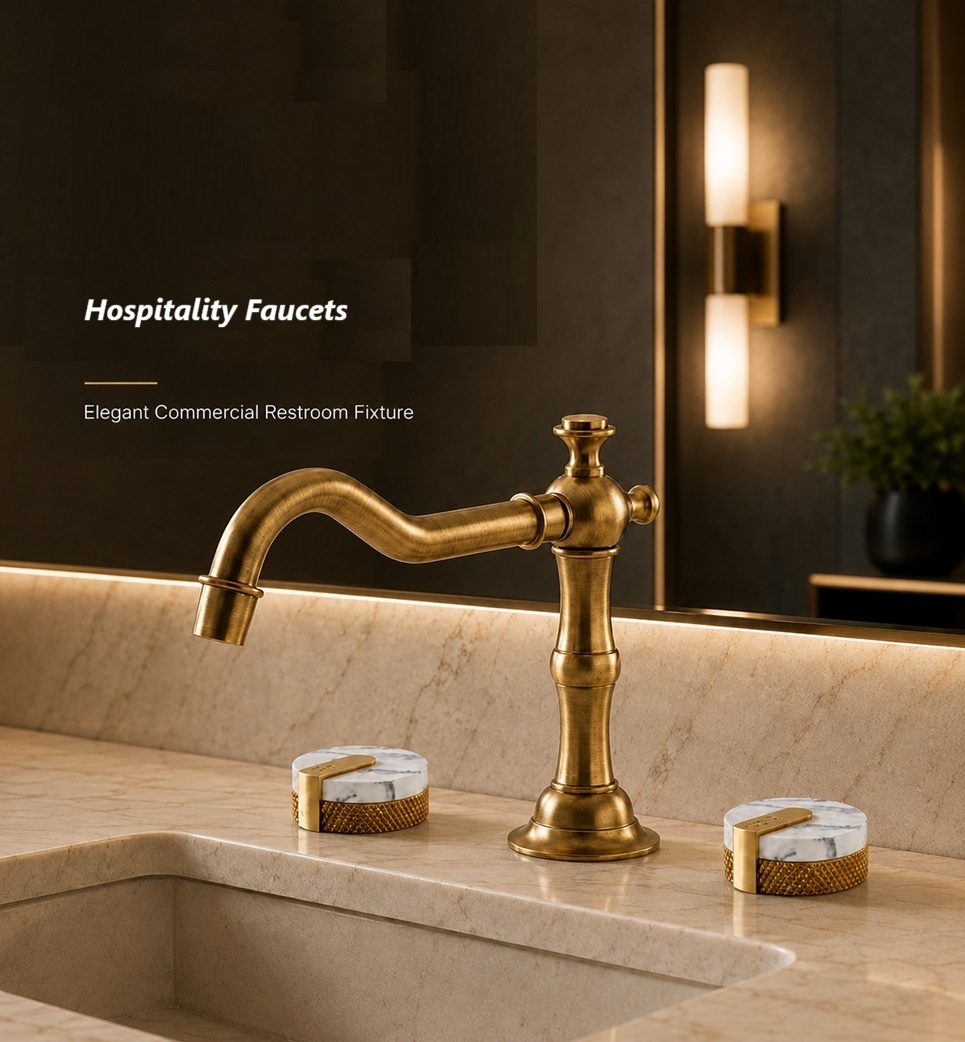
Luxury Hospitality Bathrooms
Product schedules and room-level records help support multi-unit
claims.
Hospitality Shower Installations
Complete installation and maintenance records support efficient
product review.
Technical Resources
Prepare the Product Record Before Installation Begins
BathSelect™ technical resources help homeowners, installers, contractors, architects and
facility teams verify product identity, installation requirements and service access before
rough-in, mounting or final connection.
Installation Documentation
Review Dimensions, Connections and Components Before Construction
Confirm the model, finish, included components and installation configuration before
modifying walls, ceilings, countertops or plumbing connections. Preserve the final
instructions and photographs with the project closeout record.
Match the model, SKU and finish to the approved order.
Verify dimensions, rough-in depth and service clearances.
Confirm water, electrical and mounting requirements.
Photograph labels, concealed connections and completed installation.
Manage Product Support Across the Complete Property Lifecycle
Organized project records help hotels, resorts, multi-unit properties and commercial
facilities identify fixtures, maintain consistent finishes and prepare efficient service,
warranty and replacement requests.
Reliable Fixtures Support the Guest ExperienceStandardized records help property teams respond quickly and consistently.
Hospitality Operations
Build One Support Record for the Complete Property Portfolio
Commercial teams may manage hundreds of fixtures across guestrooms and public
restrooms. A centralized record helps engineering, purchasing and property management
identify the correct product and service history.
Record property, floor, room and fixture location.
Preserve model, SKU, finish and installation date.
Store instructions, commissioning and maintenance records.
Track service activity, replacement parts and claim outcomes.
Preserve Design Consistency Through Accurate Product Records
A shared record allows design, engineering and purchasing teams to use the same verified
product information when staff, contractors or ownership groups change.
Property Identification
Record building, floor, room and fixture position.
Product Schedule
Maintain model, finish, quantity and installation date.
Maintenance History
Track inspection, cleaning, repair and component replacement.
Replacement Planning
Document approved substitutions, upgrades and discontinued items.
Exact Finish Records Support Future RenovationsPreserve approved finish names and model references for replacement planning.
Facility Record
Recommended Commercial Support Record
Maintain one concise record for procurement, installation, maintenance and replacement decisions.
Record Category
Information to Store
Responsible Team
Support Benefit
Procurement
Purchase order, invoice, model, finish and quantity.
Purchasing or ownership.
Verifies original purchase
Installation
Rough-in images, connections, controls and commissioning results.
Installer or contractor.
Supports technical review
Maintenance
Cleaning products, inspection dates, service and repairs.
Facility management.
Confirms ongoing care
Warranty
Claim images, correspondence, authorization and resolution.
Engineering or administration.
Preserves support history
Replacement Planning
Parts, discontinued items, substitutions and renovation plans.
Ownership, design and procurement.
Supports lifecycle decisions
Preventive Maintenance & Asset Planning
Protect Product Performance Across the Building Lifecycle
A documented maintenance program helps facility and hospitality teams preserve product
appearance, identify developing concerns and prepare complete technical or warranty records.
Preventive Maintenance Supports Reliable OperationHigh-use fixtures require regular inspection, approved cleaning and service records.
Facility Asset Management
Manage Every Installed Fixture as a Documented Asset
Keep one accessible record for each fixture, including product identity, location,
installation date, maintenance history and replacement components.
Assign a fixture or asset number to every installed product.
Record location, model, SKU, finish and purchase information.
Track cleaning, inspection, troubleshooting and repair activity.
Retain photographs before and after major service work.
Four Elements of a Professional Fixture Maintenance Plan
Frequency should reflect product type, traffic, water quality and operating conditions.
Approved Cleaning
Use non-abrasive methods and record visible finish or operating concerns.
Operational Testing
Check flow, temperature, controls, sensor response and activation.
Scheduled Inspection
Review accessible connections, outlets, aerators, sensors and mounting.
Service Documentation
Record date, technician, condition, corrective action and parts used.
Architect & Designer Resources
Specify Products With Future Serviceability in Mind
Product selection should consider access, component identification, finish consistency
and the facility team's ability to maintain the installation over time.
Standardize Product Families
Reduce unnecessary variation across guestrooms and restroom groups.
Document Exact Finishes
Preserve the approved finish name for future matching.
Provide Service Access
Coordinate access to valves, controls, drains and connections.
Preserve Product Schedules
Include model, SKU, quantity and location in closeout documents.
Provide property, quantity, locations and records; use
Lifecycle Support.
How should recurring fixture concerns be reported?
Document each location and condition, then contact
Technical Support.
Product Coverage Is Evaluated From the Complete Installation Record
Product model, purchase date, installation details, photographs and maintenance information help establish the appropriate review.
Potentially Eligible Conditions
Coverage Begins With a Verified Product Defect
BathSelect™ reviews reported defects that may affect the intended use, mechanical operation, material integrity or appearance of an eligible product. The reported condition must be distinguishable from installation error, misuse, normal wear or improper care.
✓Material defects not caused by installation or physical damage.
✓Finish deterioration subject to the applicable warranty terms.
✓Eligible replacement review after documentation is verified.
Final determination: BathSelect™ reserves the right to evaluate the reported cause and determine whether the condition falls within the applicable warranty.
These areas may be reviewed when supported by complete documentation and when the concern is not associated with an excluded cause.
Material Integrity
Defects in qualifying materials that impair the intended and proper use of the product.
Mechanical Function
Eligible internal mechanical issues affecting normal product operation.
Finish Condition
Qualifying deterioration not caused by harsh cleaners, scratches, chemicals or misuse.
Cartridges & Controls
Product-specific review of eligible cartridges, controls or valve components.
Touchless Components
Electronic or sensor-related concerns reviewed according to the applicable product warranty.
Structural Components
Eligible defects involving product structure, body or fixed components.
Missing or Incorrect Parts
Product-specific review when a shipment is incomplete or contains an incorrect component.
Delivery Condition
Visible flaws or damage reported promptly and documented before installation.
Product Support Scope
Warranty Review Across BathSelect™ Product Categories
Coverage requirements may differ by product type, component, application and installation environment.
Rainfall Shower SystemsCoverage review for valves, controls, shower heads, trim and eligible mechanical components.
Touchless Faucet CollectionsSensor, solenoid, power and fixture concerns.
Hospitality BathtubsStructural and finish review subject to terms.
Smart Shower SystemsControls, valves and specialized components.
Bathroom Faucet CollectionsFinish, cartridge and mechanical concerns.
Technical Resources
Installation Guidance and Product Documentation
BathSelect™ technical resources help homeowners, installers, contractors, architects and facility teams identify products, review installation requirements and prepare the documentation needed for efficient support and warranty review.
Installation Support
Review the Product Documentation Before Installation Begins
Product instructions should be reviewed before rough-in, mounting, connection or testing. Confirm the model, finish, included components and installation configuration before modifying walls, ceilings, countertops or plumbing connections.
Confirm the complete product model and selected finish.
Compare received components with the product documentation.
Review dimensions, connection points and required clearances.
Verify water, electrical and mounting requirements where applicable.
Keep installation instructions with the project records.
Before installation: photograph the product, packaging, labels and included components. This record can be valuable if a missing part, shipping concern or product identification question arises later.
Technical Documentation Supports Better Installation DecisionsProduct instructions, dimensions and specification references help reduce installation errors and future service delays.
Support Hubs
Find the Right BathSelect™ Support Resource
Use the following hubs to locate installation assistance, instructions, common answers and direct support.
Bathtub InstallationsVerify access, structural support, drain location and delivery condition before placement.
Pre-Installation Checklist
Reduce Installation Errors Before the Product Is Permanently Mounted
A brief pre-installation review can prevent many of the conditions commonly mistaken for product defects. Check the installation area, water supply, included components and technical requirements before closing walls or applying permanent finishes.
Inspect the Shipment
Check the product and components before discarding packaging or beginning installation.
Confirm the Model
Match the product name, SKU and finish to the order and project schedule.
Review Dimensions
Confirm mounting dimensions, rough-in depth, spacing and service access.
Flush Supply Lines
Remove debris before connecting valves, cartridges, aerators or solenoids.
Test Before Closing
Test water flow, temperature, controls and connections before walls are sealed.
Photograph the Installation
Keep clear photographs of rough-in, connections, labels and final installation.
Document Concealed Components Before Walls Are ClosedPhotographs of valves, connections and rough-in conditions can be highly useful during future troubleshooting or warranty review.
Recommended Technical Documentation by Product Type
Keep the most relevant records for the product category and installation environment.
Product Category
Documents to Keep
Installation Record
Why It Helps
Shower Systems
Product instructions, valve diagram, component list and finish identification.
Rough-in photographs, valve depth, outlet locations and test results.
Concealed installation review
Touchless Faucets
Product instructions, power requirements and control-box information.
Sink layout, power source, supply connection and sensor setup.
Sensor and power support
Bathroom Faucets
Faucet instructions, mounting hardware list and cartridge information.
Mounting-hole layout, deck thickness and supply photographs.
Installation verification
Bathtubs
Product dimensions, drain information and accessory instructions.
Delivery condition, support structure and drain location.
Structural review
Vanities
Product assembly details, hardware list and countertop information.
Delivery photographs, wall anchoring and plumbing clearance.
Damage and mounting review
Commercial Installations
Product schedule, quantity, model list and facility maintenance requirements.
Fixture locations, installation dates and unit-level service records.
Multi-unit support
Locate Product InformationSearch order records, packaging, product labels and original confirmation emails.
Record the Installation EnvironmentInclude the sink, surrounding area, power arrangement and affected fixture location.
Photograph the Complete ProductProvide full-product and close-up images so the support team can identify the model and reported concern.
Hospitality & Lifecycle Support
Long-Term Product Support Beyond the Initial Installation
BathSelect™ commercial and hospitality support extends beyond the original product delivery. Organized project records, maintenance documentation, product identification and replacement planning help property teams manage fixtures throughout the operational life of the building.
Guest Experience Depends on Reliable Product PerformanceStandardized product records and preventive service planning help hospitality teams respond to maintenance concerns more efficiently.
Hospitality Operations
Build a Support Program Around the Complete Property Portfolio
Hotels, resorts, restaurants and multi-property operators may manage dozens or hundreds of guestrooms and public restroom fixtures. A structured product record helps engineering teams identify the correct model, locate instructions and prepare a complete support or warranty request.
Maintain a product schedule by property, floor, room and area.
Record the model, SKU, finish and installation date.
Keep installation instructions and component information.
Document cleaning procedures and maintenance intervals.
Track replacement parts and previous service activity.
For multi-property requests: identify the property name, affected rooms, product quantity, installation dates and whether the same condition appears at more than one location.
Planning for support at every stage helps preserve product records, reduce service delays and improve future replacement decisions.
Specification
Record the approved model, finish, quantity, application and product documentation before procurement.
Installation
Photograph the rough-in, product labels, connections and final installed condition.
Commissioning
Test operation, flow, temperature, sensor response and connection integrity before turnover.
Maintenance
Follow approved cleaning procedures and maintain fixture-level inspection and service records.
Replacement Planning
Preserve model and finish information to support future matching, component replacement or upgrades.
Commercial Product Families
Support Planning Across Hospitality Product Categories
Each product family requires its own installation, maintenance and support documentation.
Hotel Bathroom VanitiesTrack cabinetry, countertop, basin, hardware and finish details for every guestroom type.
Commercial Touchless FaucetsMaintain records for power source, sensor setup, solenoid and fixture location.
Automatic Soap Dispenser SetsRecord soap type, reservoir arrangement, power source and maintenance schedule.
Exposed Shower SystemsPreserve valve, connection, finish and replacement component information.
Touchless Faucet SystemsStandardized product records simplify multi-unit troubleshooting and replacement planning.
Multi-Property Management
Create One Central Product Record for Every Property
A central facility record helps engineering, purchasing and property management teams access the same product information when employees, contractors or ownership groups change.
Property Identification
Record the hotel, building, address, floor and room or restroom location.
Product Schedule
Maintain model, SKU, finish, quantity and installation date for each fixture.
Maintenance History
Track inspection, cleaning, repair and component replacement activity.
Parts Inventory
Record available cartridges, hoses, controls and other service components.
Support Correspondence
Keep warranty emails, photographs, technical responses and claim outcomes.
Replacement Decisions
Document whether the fixture was repaired, replaced, upgraded or removed from service.
Finish and Model Records Help Preserve Design ConsistencyLuxury hospitality projects should retain exact finish names and model references for future room renovations and replacement needs.
Recommended Facility Warranty Record
Use the following structure to organize product support information across guestrooms, public restrooms and commercial project areas.
Record Category
Information to Store
Responsible Team
Support Benefit
Procurement Record
Purchase order, invoice, supplier contact, model and quantity.
Purchasing or ownership.
Verifies original purchase
Product Schedule
Room location, SKU, finish, product category and installation date.
Design, contractor or engineering.
Identifies affected fixture
Installation Record
Rough-in photographs, connections, controls, power source and commissioning results.
Installer or general contractor.
Supports technical review
Maintenance Log
Cleaning products, service dates, inspections and previous repairs.
Facility or housekeeping management.
Confirms ongoing care
Warranty File
Claim photographs, support emails, replacement authorization and final resolution.
Engineering or property administration.
Preserves support history
Replacement Planning
Available parts, discontinued items, approved substitutions and future renovation plans.
Ownership, design and procurement.
Supports lifecycle decisions
Commercial Touchless ProgramsStandardize product models and service records across high-traffic restroom locations.
Soap Dispenser Service RecordsTrack reservoir, soap type, activation performance and service frequency.
Shower System Lifecycle PlanningPreserve exact finish and component information for future service or room renovation.
BathSelect™ Support Hubs
Continue to Related Product and Support Resources
Use these internal resources to locate product information, installation guidance and warranty support.
Protect Product Performance Across the Building Lifecycle
A professional maintenance program helps building owners, hospitality operators and facility teams preserve product appearance, identify developing service needs and maintain the records required for efficient technical and warranty support.
Preventive Maintenance Supports Reliable High-Traffic OperationCommercial restroom fixtures should be inspected, cleaned and documented according to use level and facility operating demands.
Facility Asset Management
Manage Every Fixture as a Documented Building Asset
Product information should remain accessible after construction is complete. Facility teams benefit from maintaining one record for each installed fixture, including its model, finish, location, installation date, service history and replacement components.
Assign a fixture or asset number to each installed product.
Record the room, restroom, floor or project-area location.
Store the model, SKU, finish and original order information.
Track cleaning, inspection, troubleshooting and repair activity.
Retain photographs before and after major service work.
Commercial warranty reminder: preventive maintenance records do not extend the applicable warranty period, but they can help document the condition, care and service history of the product.
Keep original order records, claim correspondence and approved replacement documentation together.
Product Application Planning
Maintenance Requirements Differ Across Product Categories
Build a maintenance checklist around the product type, installation environment and operational demands of each facility area.
Integrated Touchless RestroomsCoordinate faucet, soap dispenser, power and service records across every sink station.
Luxury BathtubsInspect the surface, drain, overflow, controls and surrounding seal conditions.
Hospitality Shower SystemsTrack room location, valve model, finish and guest-reported service history.
Outdoor Shower InstallationsAccount for climate exposure, drainage, seasonal shutdown and freeze protection.
Complete Shower SystemsMaintain one component record covering valves, outlets, controls, hoses and trim.
Suggested Professional Inspection Schedule
The intervals below provide a planning framework. High-traffic, healthcare, hospitality or demanding water conditions may require more frequent inspection.
Interval
Inspection Activity
Products
Record to Maintain
Daily or Housekeeping Cycle
Identify visible leaks, loose components, finish damage or irregular operation.
Guestroom, public restroom and frequently used fixtures.
Exception report
Weekly
Clean approved surfaces and test basic flow, activation and drainage.
Faucets, dispensers, showers, drains and tubs.
Cleaning checklist
Monthly
Inspect aerators, outlets, sensor areas, visible hoses and mounting stability.
Touchless systems, faucets and shower products.
Fixture inspection log
Quarterly
Review strainers, control boxes, batteries, solenoids, cartridges and accessible connections.
Commercial touchless and mechanical systems.
Preventive service record
Semiannually
Review water quality effects, mineral accumulation and recurring maintenance patterns.
All water-delivery products.
Water-condition review
Annually
Reconcile the complete product schedule, parts inventory, warranty files and replacement priorities.
Entire property or building portfolio.
Annual asset report
Architect & Designer Resources
Specify Products With Future Maintenance and Support in Mind
Product selection should consider not only design and initial performance, but also service access, component identification, replacement planning and the facility team's ability to maintain the product throughout its operating life.
Standardize Product Families
Reduce unnecessary variation across guestrooms, floors and restroom groups.
Document Exact Finishes
Retain the approved finish name for future matching and renovation planning.
Provide Service Access
Coordinate access to valves, control boxes, drains and concealed connections.
Preserve Product Schedules
Include model, SKU, quantity and location information in turnover documents.
Plan Replacement Inventory
Consider spare components for large, remote or mission-critical properties.
Coordinate Maintenance Needs
Give facility teams clear cleaning, inspection and testing guidance.
Professional Product Selection Supports Long-Term ServiceabilityArchitects and designers can improve future maintenance by coordinating access, documentation and product standardization.